
Traffic Warrants in Bailey County
A traffic warrant can follow a missed date or failure to respond to a citation, but the court on the ticket controls the case. Muleshoe Municipal Court handles city ordinance and fine-only traffic within city limits. County traffic and Class C matters go to Bailey County Justice Court. Higher-level criminal traffic cases may be in County or District Court depending on the charge.
The local chain is citation, response deadline, plea/payment/course/hearing, possible failure-to-appear or fine process, then court resolution and compliance reporting. The municipal fine notice warns that failing to respond may lead to an arrest warrant and a $50 warrant addition. That notice is not a universal county fee.
Bailey County Traffic Warrant Cases Follow Two Courts
The ticket tells the reader which office begins the check. A city ordinance or fine-only traffic ticket inside Muleshoe belongs to Municipal Court; county or precinct traffic and Class C cases go to the Bailey JP. A higher-level criminal traffic charge may be handled by County or District Court.
| Ticket source | First office | Public route |
|---|---|---|
| Muleshoe city citation | Municipal Court | Tyler citation search or clerk |
| County/precinct ticket | Bailey County JP | nCourt number search or JP clerk |
| Higher-level charge | County/District Court | Issuing clerk; Sheriff for service questions |
The Bailey County JP is at 306 West 2nd Street, phone 806-272-4300. Muleshoe Municipal Court is at 215 South First, phone 806-272-7586. Use the court printed on the ticket, even if another office is closer.
How to Check for a Traffic Warrant
Match the citation to its court before using a portal. The Muleshoe Tyler search offers citation number and date of birth, driver's license and state with date of birth, Social Security number with date of birth, plate and state, first and last name with date of birth, or business name. Use the SSN only in the official portal, never in public copy.
- Use Tyler for a Muleshoe citation and call Municipal Court at 806-272-7586 if the result is unclear.
- Use JP nCourt for a county ticket or case/cause number, then call 806-272-4300 about warrant status.
- For a district-level charge, contact the issuing court or District Clerk; call the Sheriff for service routing.
- Use DPS/OmniBase only for a participating-court FTA/FTP renewal hold, then confirm the case with that court.
- For existing records missing online, send a written Texas Public Information Act request to the office that keeps them.
Bailey County Traffic Warrant Search Has Six Tyler Routes
The official-linked Tyler form separates its methods by identifier. Name search uses first name, last name, and date of birth; citation, driver's license, Social Security number, plate, and business name are separate paths. The state dropdown accompanies a driver's-license or plate search. A result concerns the Muleshoe court case, not every Bailey warrant.
| Search method | Fields shown | Limit |
|---|---|---|
| Citation | Citation number + DOB | City court citation |
| Driver license | DL + state + DOB | City court citation |
| Social Security | SSN + DOB | Enter only on official portal |
| Vehicle | Plate + state | Vehicle citation method |
| Name | First + last + DOB | Confirm common-name matches |
| Business | Business name | Separate method |
The Muleshoe search interface shows these fields. The Municipal Court contact page lists 806-272-7586 for help.
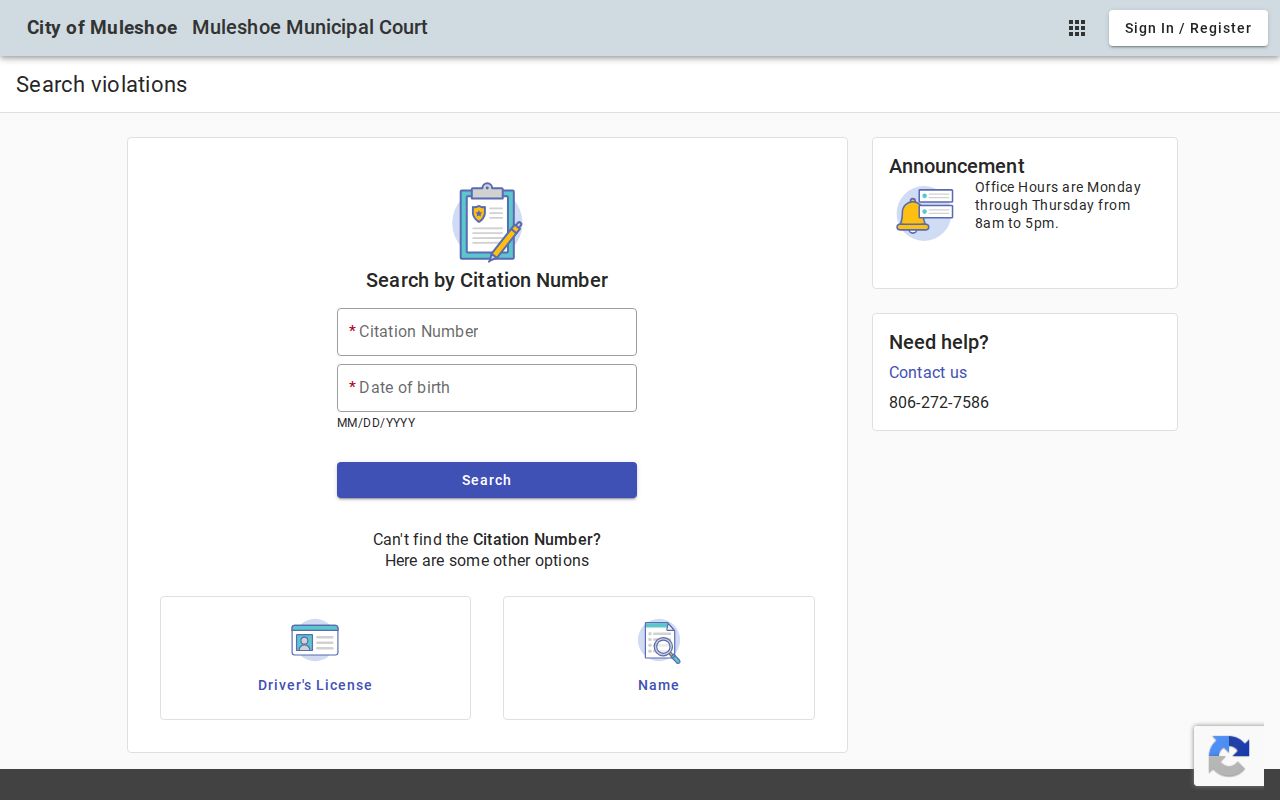
The search form handles Muleshoe traffic citations; contact the clerk if the record suggests a court appearance or warrant issue.
What a Traffic Warrant Shows
No sample Bailey traffic-warrant record was available. A municipal or JP file may connect a citation number with the court date, plea, amount, disposition, FTA or capias status, and court order. The number format is court-assigned; do not infer an active warrant from an unpaid balance alone. Ask the issuing clerk what the status field means.
| Ticket/cause number | Court-assigned citation or cause; no Bailey pattern published. |
|---|---|
| Charge or citation | Offense, ordinance, and the original court obligation. |
| Issuing court | Muleshoe Municipal Court, Bailey JP, or another court named in the case. |
| Amount/status | Separate fine, warrant fee, bond, and active/recalled status with the clerk. |
| Status | Ask whether active, served, paid, recalled, or still pending. |
JP Portal Limits Bailey County Traffic Warrant Searches
The nCourt page asks the user to pick Citation/Ticket Number or Case/Cause Number and enter that value. A letter may be needed; if an initial zero causes trouble, the page says to try without it. It warns of a five-day wait after a citation before online payment. It shows a Terms Agreement, Payment, and Receipt flow, not a name-based warrant list.
The county JP page and the separate nCourt page give different phone-payment numbers. Call the JP at 806-272-4300 to confirm which service line applies; do not treat 877-793-7971 and 833-279-3217 as interchangeable.
The Justice Court nCourt page shows its case-number steps.
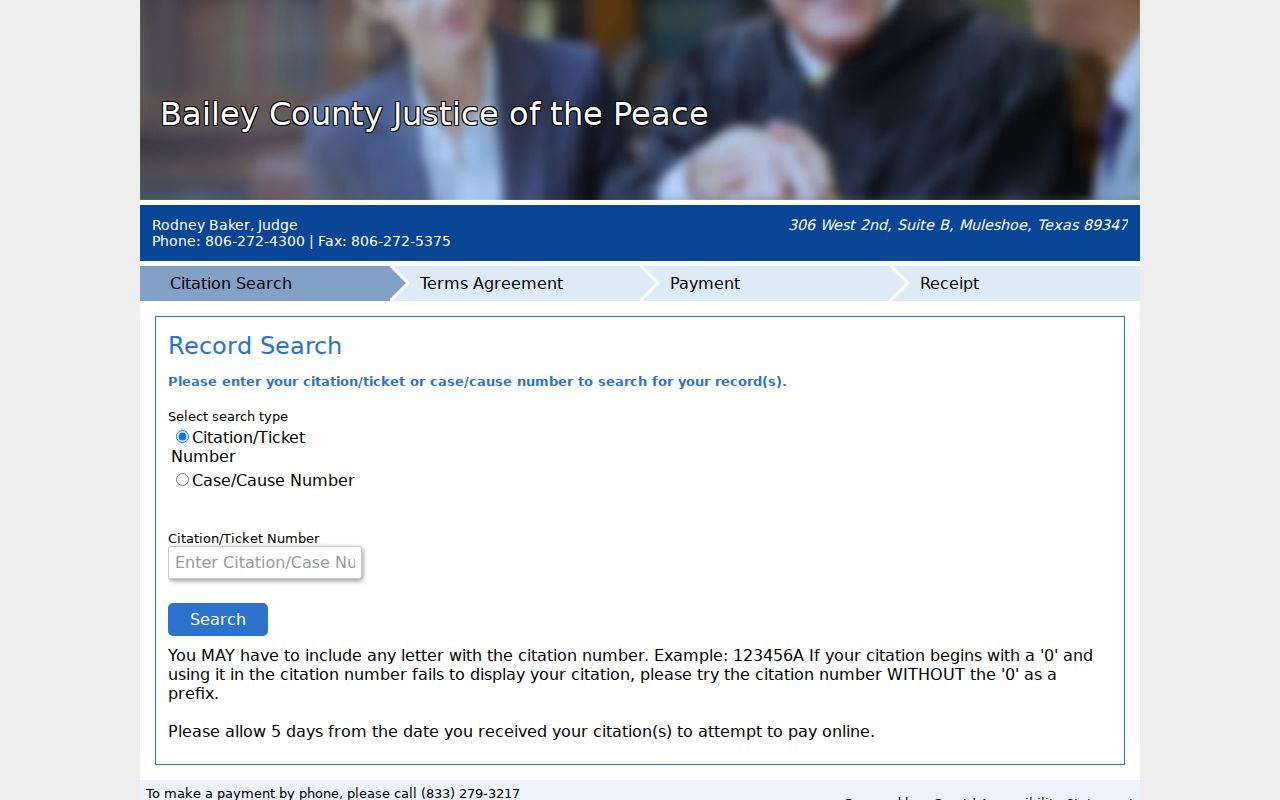
The JP page and payment form cover Justice Court citations, not the separate Muleshoe Municipal Court docket.
Paying or Lifting a Traffic Warrant
Call the issuing court before paying. Muleshoe's official fine sheet lists cash, money order, debit or credit card, or personal check, in person or by mail, and gives guilty, no-contest, and not-guilty plea choices. The not-guilty option includes judge or jury trial. The PDF is a traffic-options notice, not a promise that online payment recalls a warrant.
- Ask whether the order requires payment, appearance, bond, or a judge's recall.
- Use only the payment or plea route the court confirms for that case.
- Ask about any separate warrant fee or collections notice; Muleshoe's PDF lists $50 per warrant and a 30% delinquent-citation increase.
- Get confirmation of recall and ask how the court reports any DPS/OmniBase compliance update.
Warning: Payment may not recall an issued warrant; ask the court whether an appearance, bond, or separate judicial order is required before relying on a receipt.
Bailey County Traffic Warrant Payments May Not Recall
The Muleshoe PDF lists payment by cash, money order, debit or credit card, or personal check, in person or by mail. It offers written guilty, no-contest, and not-guilty choices; the court says a judge cannot discuss the merits before trial. The notice warns that failure to respond can bring a warrant and $50 per warrant, and delinquent citations sent to collections can rise by 30 percent.
Those are terms in the official city notice, not proof that paying through a portal recalls an existing warrant. Call Municipal Court to ask whether the case needs an appearance, bond, or judicial action. Its published weekday hours differ between the city page and PDF, so confirm before visiting.
For city-court process and its fine sheet, see the official Municipal Court page.
Bailey County Traffic Warrants and FTA Holds Use Different Channels
DPS/OmniBase may carry a participating court's failure-to-appear or failure-to-pay report that blocks renewal. It is separate from a warrant record. DPS states that license specialists do not have warrant information and directs the person to the reporting court for fines, an appearance, plea or payment choices, and compliance posting.
One DPS page gives an update estimate of three to five business days; its FAQ cites up to seven days in a particular answer. Ask the court which timeframe applies and keep proof of payment or the court order. A posted update alone does not confirm every case or warrant is resolved.
The DPS program page and OmniBase FAQ explain the hold channel.
Traffic Warrant vs FTA and License Holds
A traffic warrant is court process. An FTA or capias label describes a court response to a missed obligation. DPS/OmniBase may show a participating court's compliance report that affects license renewal, but it is not warrant confirmation. One citation can raise more than one issue, so ask the court about each separately.
| Mechanism | What Triggers It | What It Does |
|---|---|---|
| Traffic warrant | Unpaid ticket or missed traffic date | Court process, confirm with issuing court |
| Failure to appear (FTA) | Missed court setting or required response | Separate court process or charge may follow |
| License renewal hold | Participating court reports unpaid/FTA matter | Compliance restriction, not warrant confirmation |